
Do you already have WavelyDx Ear Tips?
-
Great! Let’s get you the app to start testing for ear infections!
Get WavelyDx on your iPhone -
Got it!
1. Let’s get your ear tips delivered ASAP.
Get them here.
2. Once you’ve placed your order, click below to get the app.
Get WavelyDx on your iPhone
Stock Up On Your New Superpower!
Step 1
Get WavelyDx
Ear Tips
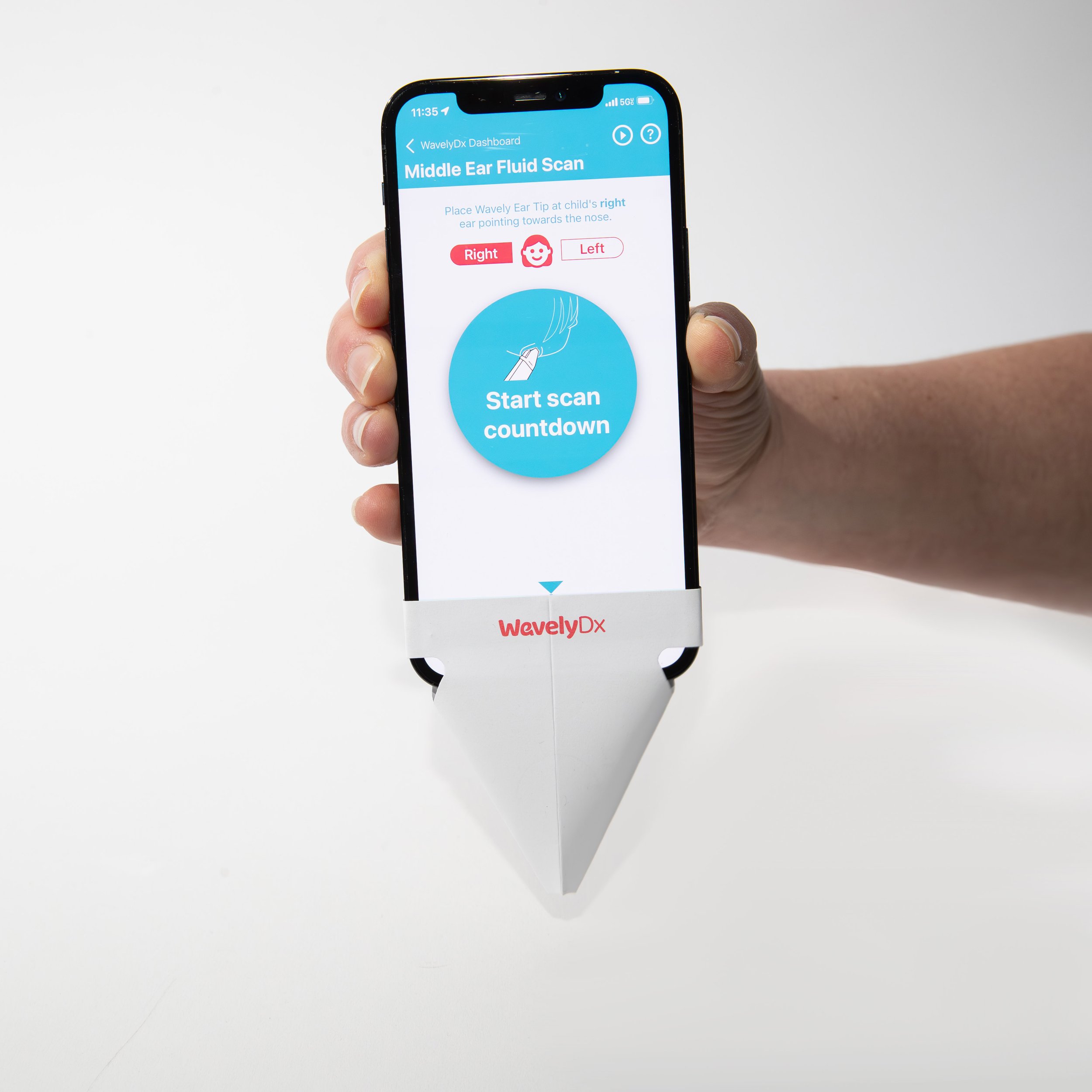
These attach to your iPhone in seconds, directing the soft chirps that uncover ear fluid.

Step 2:
Get the
App
Install the iPhone app and pick your subscription plan to get started.

FAQs
All About Ear Infections
-
Common symptoms of ear infections in children include ear pain (especially when lying down), tugging or pulling at an ear, trouble sleeping, increased fussiness, trouble hearing or responding to sounds, loss of balance, fever of 100 F (38 C) or higher, drainage of fluid from the ear, headache, and loss of appetite.
-
Ear infections are typically caused by bacteria or viruses and often result from another illness such as a cold, flu, or allergy. These conditions can cause congestion and swelling of the nasal passages, throat, and eustachian tubes, leading to fluid build-up in the middle ear that can become infected.
-
Treatment for ear infections may vary depending on the cause. Many ear infections clear up on their own, and treatment often begins with managing pain and monitoring the problem. Antibiotics may be used for bacterial infections. Pain relief can be provided through medications like acetaminophen or ibuprofen.
-
You should see a doctor if your child's symptoms last for more than a day, if symptoms are present in a child less than 6 months of age, if ear pain is severe, if your child is sleepless or irritable after a cold, or if there is a discharge of fluid, pus, or bloody fluid from the ear.
-
Most ear infections don't cause long-term complications, but repeated infections can lead to hearing problems and other serious issues. Complications can include impaired hearing, speech or developmental delays, spread of infection to nearby tissues, and tearing of the eardrum. Prompt evaluation and treatment can reduce the risk of these complications.
-
Each year in the U.S. there are 30 million visits for suspected ear infections, and only 8.7 million ear infections actually diagnosed. This means that 71% of the time when a parent thinks their child has an ear infection, they actually don’t!
WavelyDx’s Science & Technology
-
The WavelyDx App detects middle ear fluid, which is a key physical indicator of ear infections but does not necessarily mean you have an ear infection. Your doctor will diagnose an ear infection using the WavelyDx result and other clinical factors such as fever, pain and other symptoms.
-
The WavelyDx App plays a quiet, painless chirp into the ear canal, and then analyzes the reflection from the ear drum to determine if there is fluid in the middle ear. Our Science Translational Medicine paper talks about the science behind this process.
-
The ear canal travels forward from the ear opening towards the tip of the nose. In order to ensure you are playing sound directly into the ear canal you must point the ear tip towards the nose and angle the phone back against the head.
-
Since the WavelyDx App uses sound to detect middle ear fluid, it must have permission to access your microphone and speaker. Please grant that permission when prompted. If you need to grant permissions later, you can do so in the in your phone’s Settings.
-
WavelyDx takes every precaution to ensure your data is private and secure. WavelyDx has a Cybersecurity and Data Privacy policy, and all files are protected by encryption and file name anonymization that comply with HIPAA (Health Insurance Portability and Accountability Act) standards.
Using WavelyDx at Home
-
Packs of 6 ear tips cost $9.99, and the app subscription is $27 for 3 months (works out to $9/month) or $60 per year (works out to $5/month).
-
The WavelyDx App is currently released for phones running Apple’s iOS only. It is not available for Android or Windows phones, tablets, computers, or video game consoles.
-
The WavelyDx App is only available in the United States.
-
Ear tips are labeled as single-use, designed for one scan session (i.e. scanning both ears).
-
Yes. You can download the WavelyDx App and login to your account on as many compatible phones as you’d like.
-
Please contact support@wavelydx.com to request that your account be removed.